
Permission Trail
See & delete all hidden data websites store in your browser, and manage it instantly.
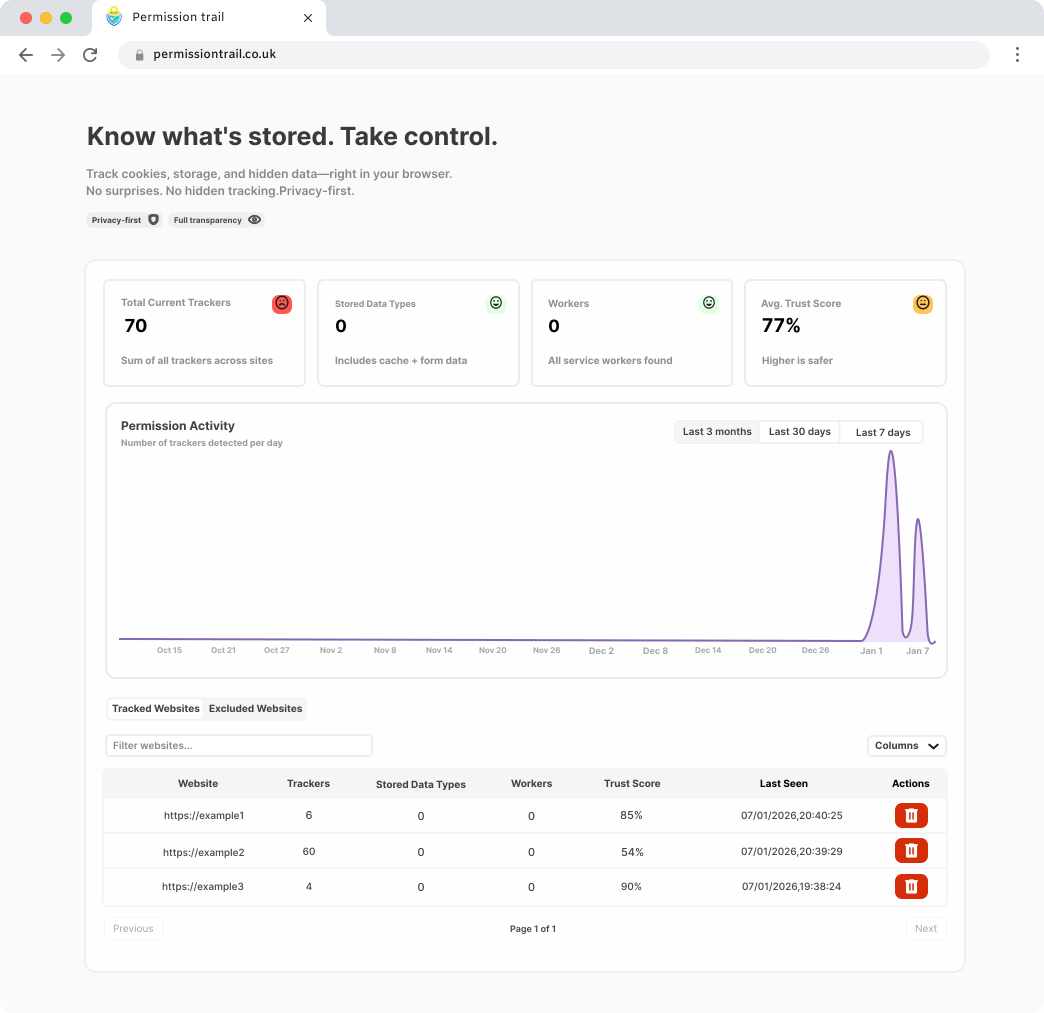
Why it matters
Take Back Control of Your Online Privacy
Every time you click “Allow” or “Accept,” websites quietly store your data. Permission Trail reveals what's been saved - and lets you erase it.
Uncover Hidden Permissions
Most websites store more than you realise - trackers, identifiers, and tokens. See everything, then decide what stays.
Stop Silent Tracking
Cookies alone don't stop scripts from tracking behaviour. Permission Trail reveals hidden tracking in real time.
Own Your Digital Footprint
See exactly what's stored about you and clean it up instantly - all in one beautiful dashboard.
Simple setup
How Permission Trail works
Three steps to full visibility over what websites store in your browser.
- 1
Install the free Chrome or Edge extension
Add Permission Trail from the Chrome Web Store in seconds. It works on both Google Chrome and Microsoft Edge at no cost.
- 2
Browse normally — it runs silently in the background
Permission Trail monitors what websites store as you browse. No configuration needed — it works automatically from the moment it's installed.
- 3
Open your dashboard to see and delete everything
See every cookie, IndexedDB entry, service worker, and cached file websites have stored on your device — then delete it all in one click.
Full transparency
Every type of browser data websites store on your device
Permission Trail reveals all seven storage types — not just cookies.
Cookies
Small text files websites store to remember who you are, keep you logged in, and track your activity across sessions.
Local Storage
Larger key-value data that persists after the browser closes — often used for preferences, tokens, or tracking identifiers.
Session Storage
Temporary data stored only for the current browser tab or session, cleared when the tab is closed.
IndexedDB
A full database built into your browser that websites use to store large amounts of structured data — often invisible to users.
Cache Storage
Files such as images, scripts, and pages that websites save for offline use and faster loading — they can hold tracking assets too.
Service Workers
Background scripts installed by websites that continue running even after you close the tab, enabling push notifications and offline access.
Form Data
Data you have typed into forms that your browser has saved automatically — names, addresses, search queries, and more.
Have questions? Visit our frequently asked questions page.
See it in action
Watch the Demo
See how Permission Trail works in under two minutes.
Learn more
From the Permission Trail blog
Understand what websites really store in your browser — and what you can do about it.
Privacy Basics
Why Clearing Cookies Isn't Enough
Deleting cookies is just the start. Websites also store data in local storage, IndexedDB, and cache — and clearing one doesn't clear the others.
Read article →Technical Deep Dive
Local Storage vs Cookies: The Privacy Risk You're Missing
Local storage holds far more data than cookies — and clearing your cookies won't touch it. Here's what you need to know.
Read article →Privacy Basics
Browser Fingerprinting Explained — Can You Stop It?
Browser fingerprinting tracks you without cookies — nothing to clear, yet you're still identified. Find out how it works and what you can do.
Read article →
Start cleaning up - it's free
Install the extension in seconds and see what websites know about you right now.
After installing, return to this page to start managing your data.